I go out for night shoots quite often. In Korea, portrait-rights issues are touchier than in many other countries, so I tend to shoot at night when few people are around. And the thing that stands out most in night photography is the light starburst. In this post I'll go through the settings I use when I shoot starbursts on purpose, and why I use them.
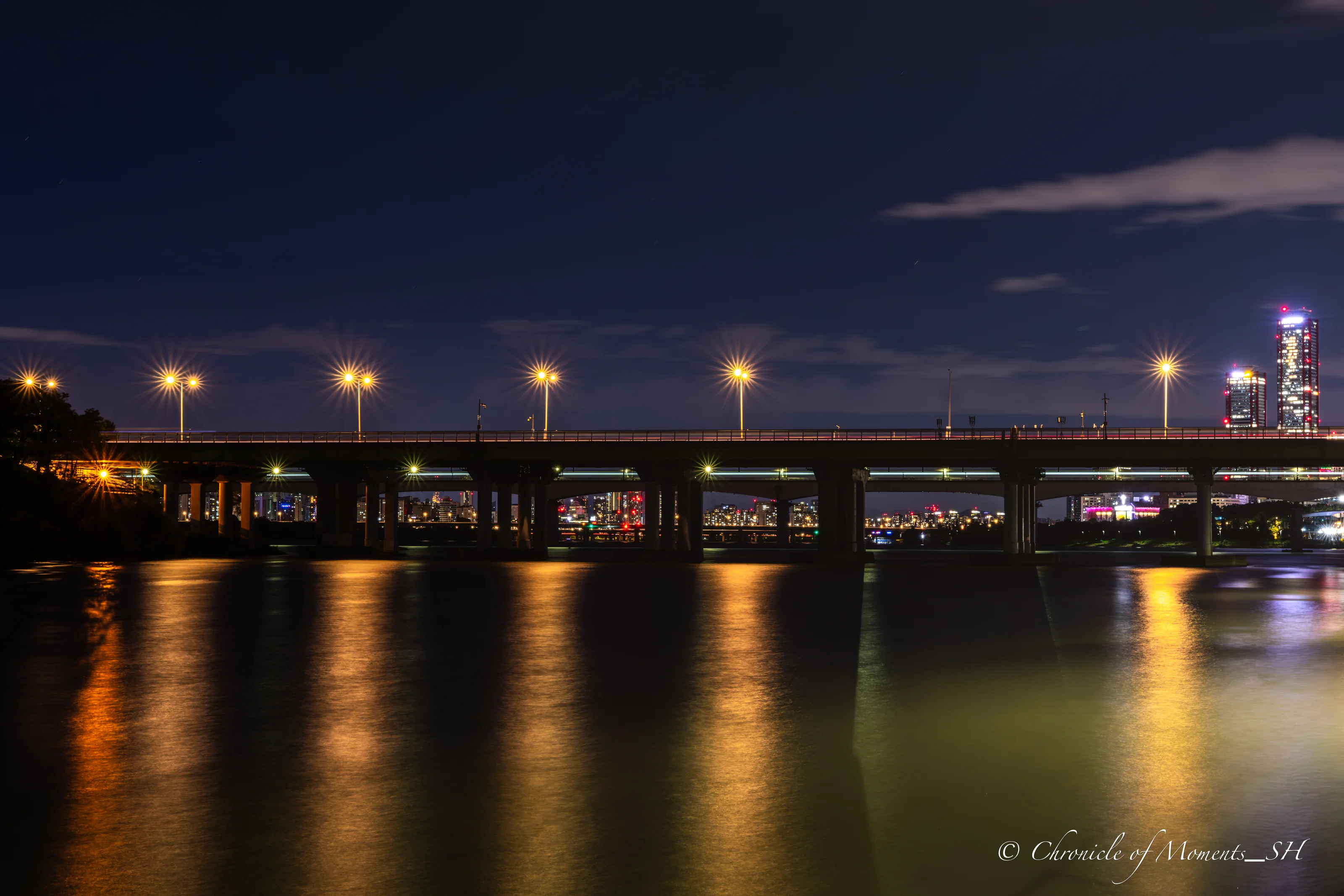
Canon EOS R7 · RF15-35mm F2.8 L IS USM · 35mm · F11 · ISO 100 · 30 s
(Click the photo to view it at full size)
The Short Answer: My Default Settings
| Setting | Range |
|---|---|
| ISO | 50 – 800 |
| Aperture | F8 – F11 |
| Shutter speed | 10 – 30 seconds |
Shooting within this range gave me nice starbursts. These values are not a fixed answer, though. Depending on how much light is around you, you need to adjust shutter speed and ISO as needed. The aperture controls the shape of the starburst, so keep it within F8–F11 and match brightness with shutter speed and ISO. That is the basic flow.
In practice I used ISO 100, F11, 30 seconds as the baseline in many shots, and dropped to ISO 50 depending on the scene. All the photos in this post were taken within this range. The EXIF information is written under each photo, and the same information is in the frame at the bottom of each photo.
Why Do Light Starbursts Happen?
A light starburst (sunstar) is the effect where a point light source such as a street lamp or a light bulb appears to spread out like a star. When you stop the lens down, the opening inside the lens becomes a small polygon, and light diffracts at its edges, producing split rays of light.
The number of rays is determined by the number of aperture blades. If the blade count is odd, you get twice as many rays as blades; if it is even, you get the same number as blades. For example, the Canon RF70-200mm F2.8 L IS USM has 9 aperture blades, so in theory it produces 18 rays. Because the blade count differs from lens to lens, the same scene looks different depending on the lens.
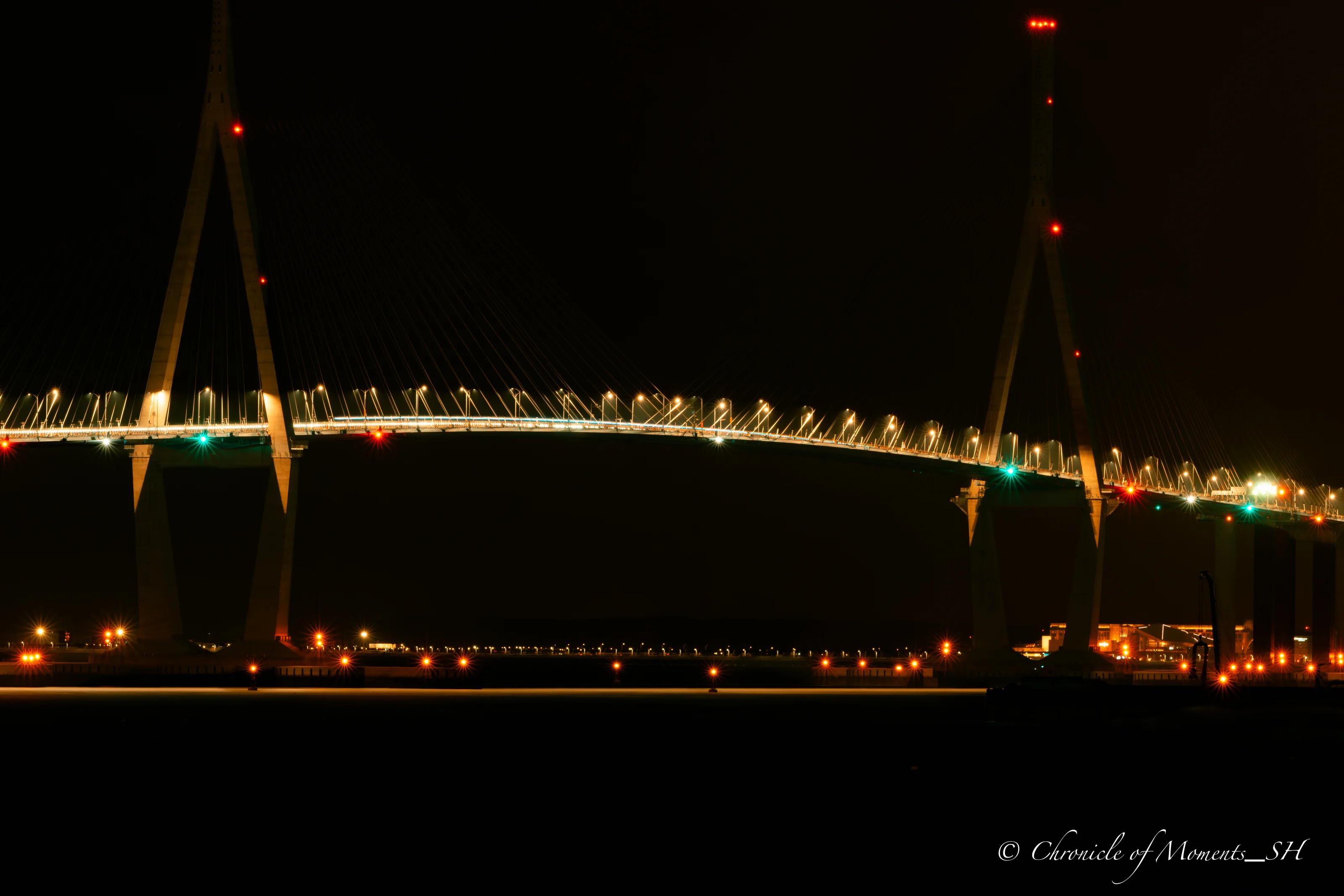
Canon EOS R7 · RF70-200mm F2.8 L IS USM · 200mm · F11 · ISO 100 · 30 s
(Click the photo to view it at full size)
How to Adjust Shutter Speed and ISO for the Surrounding Brightness
Exposure is a balance of aperture × shutter speed × ISO. One step (1 stop) means the amount of light doubles or halves. Using F11, ISO 100, 30 seconds as the baseline, these combinations keep the same brightness:
| Aperture | ISO 100 | ISO 200 | ISO 400 | ISO 800 |
|---|---|---|---|---|
| F11 | 30 s | 15 s | 7.5 s | 3.75 s |
| F8 | 15 s | 7.5 s | 3.75 s | about 2 s |
If it is bright around you, lower the ISO or shorten the shutter speed; if it is dark, do the opposite. If the math is a hassle, the Exposure Stop Calculator shows equivalent exposure combinations right away.
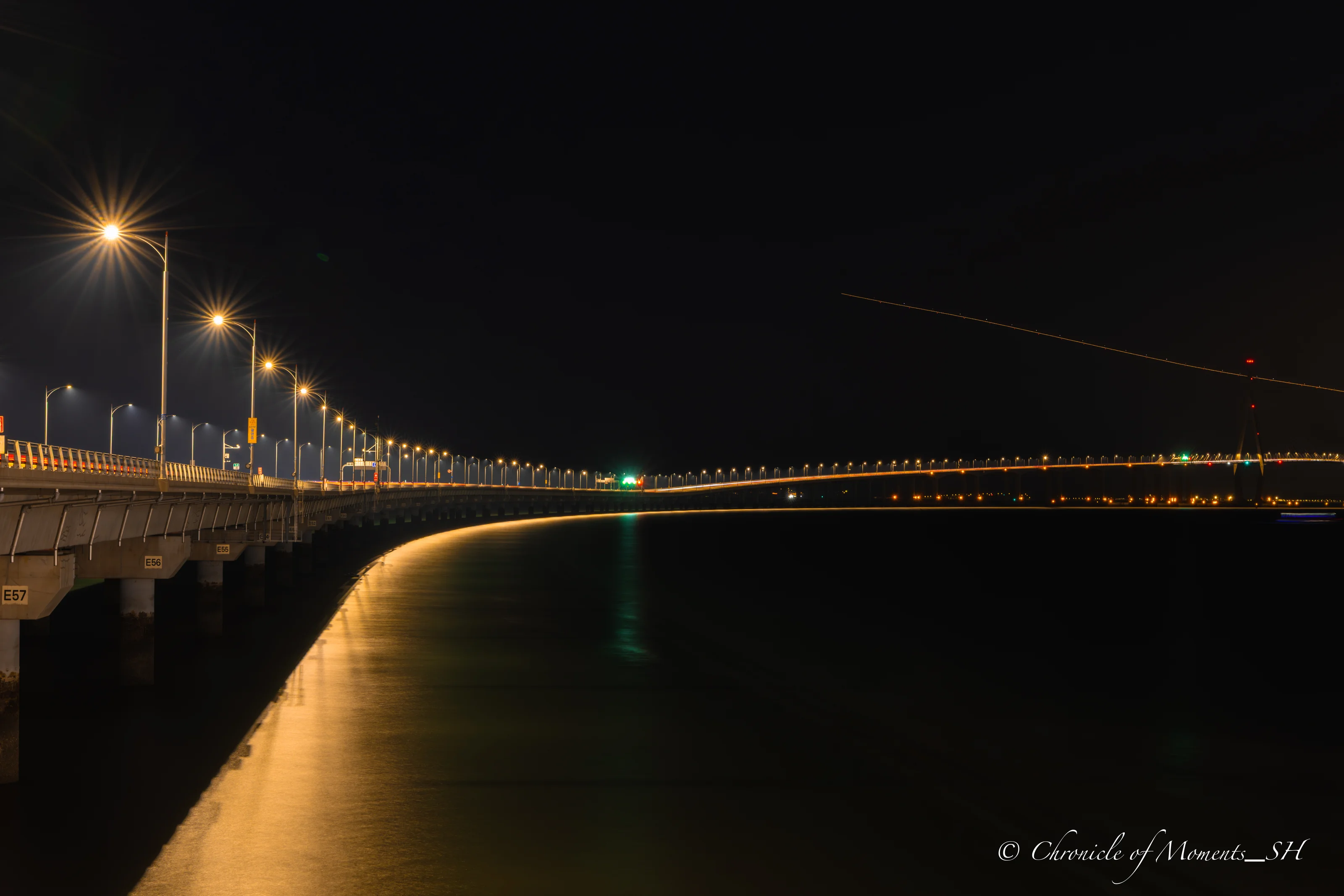
Canon EOS R7 · RF15-35mm F2.8 L IS USM · 35mm · F11 · ISO 100 · 30 s
(Click the photo to view it at full size)
Tips for Sharper Light Starbursts
- Aim for point light sources. Starbursts are clearer from small, bright points such as street lamps, small bulbs, or the moon than from broad, diffuse lighting.
- Take off the UV filter and clean the lens. Canon's guidance also recommends removing UV filters and keeping the lens clean. A filter can cause unwanted flare from reflections, and smudges make the rays look messy.
- A tripod is a must. At 10–30 second exposures, any shake means a failed shot. Use a remote release or the self-timer too; see How to Avoid Camera Shake in Long Exposures for details.
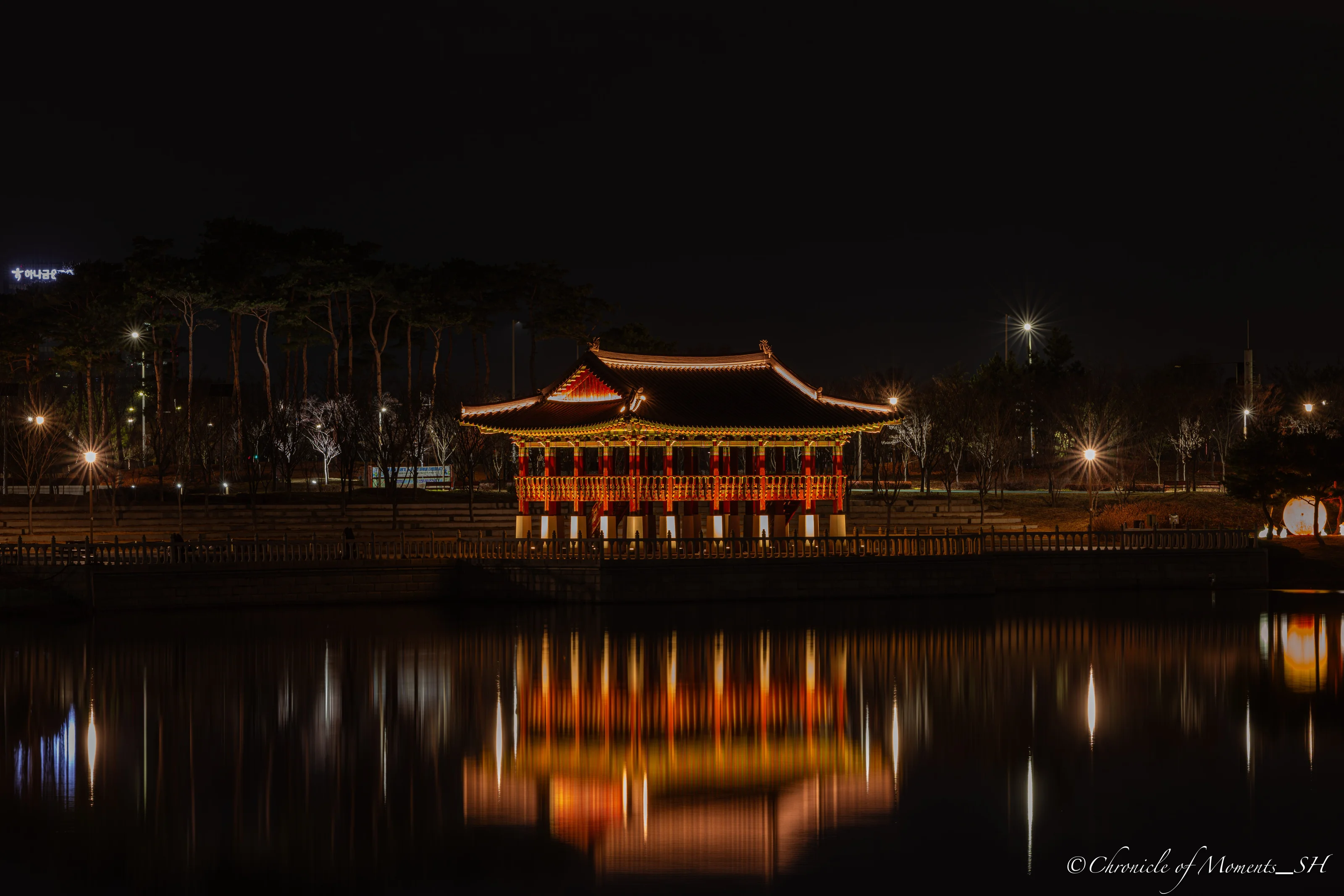
Canon EOS R5 Mark II · RF70-200mm F2.8 L IS USM · 158mm · F11 · ISO 50 · 25 s
(Click the photo to view it at full size)
- Don't stop down too far. The more you stop down, the longer and crisper the rays get, but image quality drops too because of diffraction. The Airy disk diameter is roughly 2.44 × wavelength × f-number; at 550 nm that is about 10.7 µm at F8, about 14.8 µm at F11, and about 21.5 µm at F16. For reference, the Canon EOS R7's pixel pitch is about 3.2 µm, so resolution loss can become noticeable at F16. That is why F8–F11 is the balance point between starbursts and sharpness. You can read more in Diffraction and Optimal Aperture and the Diffraction & DoF Calculator.
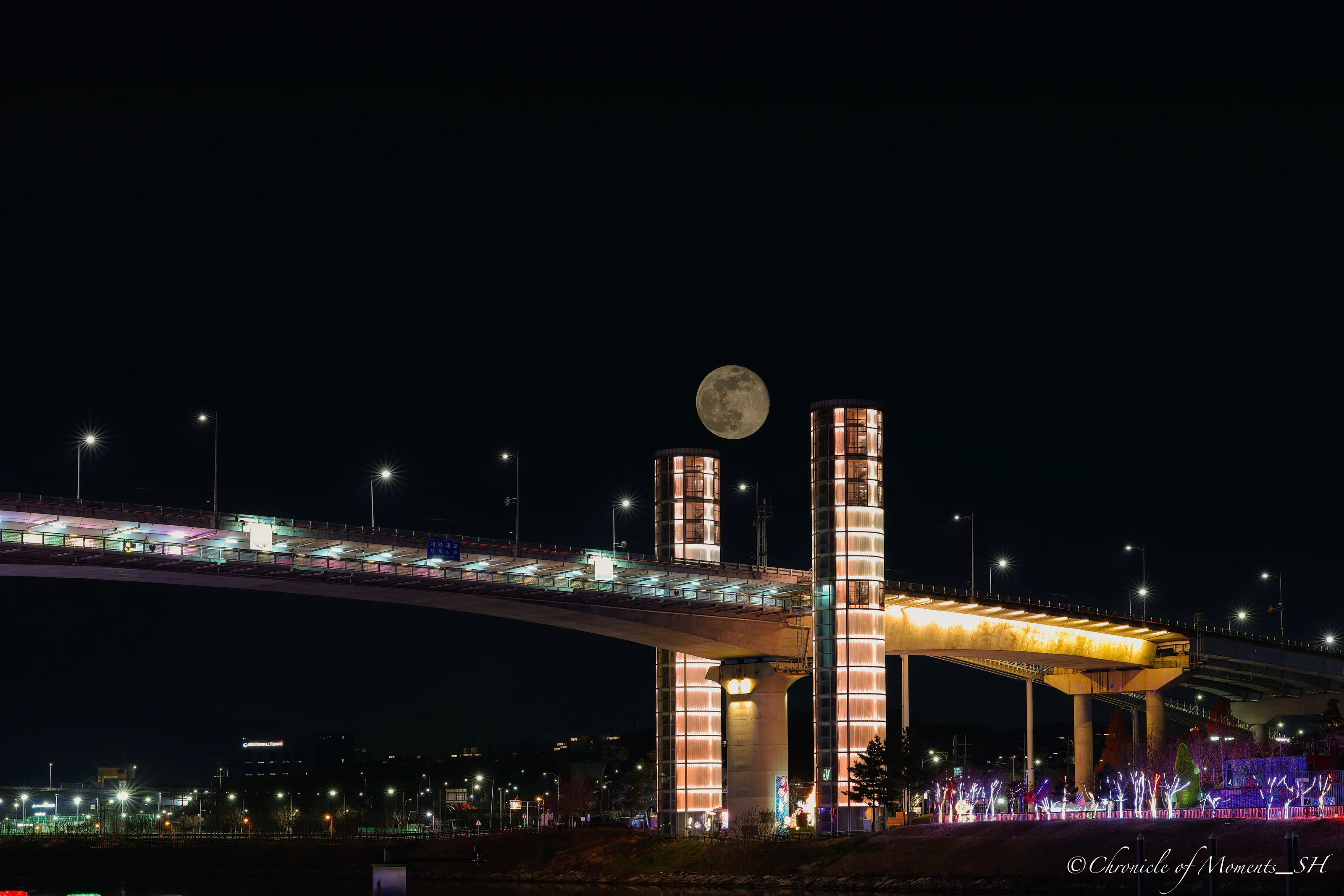
Canon EOS R5 Mark II · RF70-200mm F2.8 L IS USM · 70mm · F10 · ISO 50 · 30 s
(Click the photo to view it at full size)
FAQ
Are light bloom and light starbursts the same thing?
They are different. A light starburst is the effect where a point light source throws star-shaped rays when you stop the lens down, and you can create it on purpose with the settings in this post. What people usually call light bloom more often means hazy glow around a strong light, or lens flare and ghosting, and it can also come from fingerprints, dust, or moisture on a filter or the lens surface, or from backlight. If you want rays, stop the aperture down; if you want less glow, start by cleaning the lens and filter and using a lens hood.
Do light starbursts need a long shutter speed?
No. Starbursts come from stopping the aperture down, so they are not directly tied to shutter speed. However, stopping down lets in less light, so exposure times naturally get longer at night.
What aperture is best?
In my experience, F8–F11 worked best. The rays show up well and image quality does not drop much. Lenses differ, so I recommend shooting your own tests and finding the value you like.
Can I raise the ISO?
If it is dark around you, you can raise ISO up to 800 to shorten the shutter speed. Noise can increase in long exposures, so start with a low ISO if possible and raise it only as much as you need.
Make Your Own Photo Frame
The photos in this post have a frame (Classic Dark theme, 2% margin) that shows the camera, lens, focal length, aperture, shutter speed, and ISO under the photo. If you want to make the same look yourself, try ExifLens's EXIF Frame Generator. Upload a photo and it reads the EXIF data automatically to build the frame, and you can pick the theme and margin yourself.
Putting It Together
- The default settings are ISO 50–800, aperture F8–F11, and shutter speed 10–30 seconds.
- Use aperture for the shape of the rays, and ISO and shutter speed to match brightness.
- Point light sources, a tripod, and a clean lens decide the result more than anything else.
Copyright Notice
All photos used in this post are works taken directly by the site operator (Chronicle of Moments_SH). Photographs are protected as photographic works under Article 4(1)(ix) of the Korean Copyright Act, and copyright arises from the moment of shooting without any registration or other procedure (Article 10(2)).
Without the copyright holder's prior permission, it is prohibited to reproduce the photos in this post (Article 16), to post or transmit them on blogs, forums, social media, or communities (public transmission, Article 18), or to modify or edit them into derivative works (Article 22). Removing or altering the copyright notice and frame in a photo can also infringe the right of attribution (Article 12) and the right to integrity (Article 13). Uses the law permits, such as fair quotation of a published work (Article 28) or use within a private or domestic scope (Article 30), are exceptions.
Unauthorized use can lead to injunction claims (Article 123) and damages claims (Article 125), and can be punished by imprisonment of up to 5 years or a fine of up to 50 million won (Article 136(1)). For-profit or habitual infringement can be punished even without a complaint (Article 140).
Photo-use inquiries: skysmoga@gmail.com
© Chronicle of Moments_SH. All rights reserved.